Best Laser Level 2026: DeWalt vs Bosch vs Makita vs Huepar

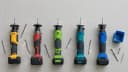
Five green-beam self-levelling lasers, from $80 to $624. Three project three 360° planes, the Takamine projects four, and the Bosch is a cross-line with a single vertical — so this is a wider spread of layouts than a like-for-like comparison, and which one suits you depends as much on the job as the budget.
Quick answer: five green-beam self-levelling lasers. Makita has the tightest published accuracy at ±1/16" at 33’; the Huepar is a sixth of the price and second most-reviewed on the page; the Takamine is the only one with four 360° planes.
| Brand | Best If |
|---|---|
| DeWalt DW089LG | Already on 12V/20V MAX, want broad battery compatibility |
| Huepar HM03CG | You own no cordless platform and do not want to start one |
| Bosch GLL50-40G | Want the toughest housing and a simple one-plane layout |
| Makita SK700GD | Tightest confirmed accuracy, 3-second self-leveling |
Jump to the full spec comparison below. Specs verified against dewalt.com, boschtools.com, makitatools.com and the Huepar manual.
Laser Level Types Explained
Before comparing brands, it’s worth confirming you’re even looking at the right type. The category splits into five main types:
| Type | Best For | Typical Range |
|---|---|---|
| Dot / Point | Transferring a single reference point floor-to-ceiling | Short |
| Cross-Line | Cabinets, tile, shelving, drywall — the most common type for indoor DIY and trim work | Short–medium |
| 3-Plane / 360° | Framing, whole-room alignment and squaring — what we compare in this guide | Medium |
| Rotary | Large exterior grading, foundations, driveways — used with a receiver for long range | Long |
| Combination | Versatile small-to-medium jobs needing both dots and lines | Short–medium |
Most of the tools compared in this guide are 3-plane/360° green lasers — the most versatile type for indoor layout work, and the most commonly recommended type for general trade and DIY use. If you’re doing large-scale exterior grading, a rotary laser with a receiver is the better tool for that specific job.
Rotary vs 3-Plane — When You Need More Range
A cross-line or 3-plane laser uses a prism to deflect the beam into a bright, steady line — easy to see, but accuracy is typically rated at a shorter reference distance (33’ is standard). A rotary laser sends its beam through a single spinning point diode, which fades visibly much closer but continues working with a receiver well beyond what you can see.
The real difference shows up in accuracy at distance. Pro Tool Reviews’ own testing found a typical cross-line laser rated at 1/8" accuracy at 33’ actually produces about 3/8" of error once scaled to 100’ — while a rotary laser rated at 1/16" directly at 100’ holds that tighter tolerance at the longer distance. For work confined to a single room, a 3-plane laser like most of those compared here is both more visible and perfectly adequate. For large exterior layouts where you’re working well past 100’, a rotary laser is the more accurate tool for the job.
Red vs Green Beam — Why It Matters
This is the real first decision, before any brand comparison. Green beams are up to 4x brighter to the human eye than red, making them visible in daylight and bright interiors where red lines wash out and become nearly impossible to see. The tradeoff: green diodes drain batteries faster, so runtime per charge is shorter than an equivalent red-beam unit.
Sensitivity values from the CIE photopic luminosity function; beam wavelengths from manufacturer technical documentation.
- Lower cost and a wider selection of tools
- Longer runtime per charge
- Hard to follow in daylight or a bright room
- Fine for dim interiors and occasional use
- Roughly 4× brighter to the eye at the same output
- Readable in daylight and bright rooms
- Draws more current, so shorter runtime
- The professional default for daily jobsite use
The Five Lasers, Compared
How the product picks on this page work. Some links are affiliate links, and BuildToolHQ earns a commission if you buy through them, at no extra cost to you. It does not change what gets recommended. Every product here was checked against its live listing for current rating, price and availability, and anything discontinued or wrong for the job was left out. Where no product genuinely fits, we say so instead of linking something close enough. As an Amazon Associate, BuildToolHQ earns from qualifying purchases. Editorial policy · Full disclosure


Real Specs by Brand
| Feature | DeWalt DW089LG | Huepar HM03CG | Takamine 16-Line | Bosch GLL50-40G | Makita SK700GD |
|---|---|---|---|---|---|
| Planes | 3 x 360° | 3 x 360° | 4 x 360° | 360° + 1 vertical | 3 x 360° |
| Accuracy | ±1/8" at 30’ | ±1/9" at 33’ | Not published | Not published | ±1/16" at 33’ |
| Visibility range | 100’ indoor, 165’ working | Not published | Not published | 100’ diameter | 115’, 230’ with detector |
| Runtime | Not published | 8 hours | Not published | Not published | 14 hours |
| Power | 12V/20V MAX | Built-in USB-C | Rechargeable, USB-C | Bosch 18V | 12V max CXT |
| Weather rating | IP65 | Not published | IP54 | Not published | Not published |
Specs come from each manufacturer’s product page and instruction manual. DeWalt’s accuracy figure is from its own manual. Where a maker does not publish a figure — Huepar’s visibility range, the Takamine’s and the Bosch’s accuracy, three of the five runtimes — the cell says so rather than carrying an estimate borrowed from a review site.
Accuracy at Distance
A small accuracy spec compounds meaningfully over a real room or job site. Here’s what the confirmed figures above actually mean once you're working across a larger space, calculated directly from each manufacturer's published accuracy rating:
| Tool | Published Accuracy | Error at 66’ | Error at 100’ |
|---|---|---|---|
| DeWalt DW089LG | ±1/8" at 30’ | ~1/4" | ~7/16" |
| Huepar HM03CG | ±1/9" at 33’ | ~1/4" | ~11/32" |
| Makita SK700GD | ±1/16" at 33’ | ~1/8" | ~3/16" |
Figures assume linear error scaling from each manufacturer’s published rating; real-world error can vary with technique and surface conditions.
Do You Need a Laser Detector?
A laser detector is a handheld receiver that finds the beam where your eye cannot — outdoors, in bright light, or beyond about 50 feet. It clamps to a grade rod or a story pole, beeps when it crosses the plane, and turns a 100-foot indoor tool into a 300-foot site tool.
You need one if you are working outside, running long interior layout, or setting grade. You do not if you are hanging cabinets in a lit room.
Two things have to line up, and most people only check one
Buying a detector is not like buying a battery. There are two separate compatibility questions, and the second one catches people out after the money has gone.
Which lasers on this page can use a detector
| Laser | Pulse mode | Detector range quoted |
|---|---|---|
| DeWalt DW089LG | Yes — full-time | 165 ft radius, with the DW0892G |
| Makita SK700GD | Yes | 230 ft, with a Makita detector |
| Huepar HM03CG | Yes | 200 ft, with the LR-5RG or LR-6RG |
| Bosch GLL50-40G | No receiver support | — not on Bosch's LR8 list |
| Takamine 16-line | Yes | 200 ft, with Takamine's own |
Four of the five support a receiver, and each is tied to its own maker’s: DeWalt’s DW0892G, a Makita detector, Huepar’s LR-5RG or LR-6RG, and Takamine’s own. Only the Bosch has no receiver option — it is absent from the compatibility list for Bosch’s own LR8. If you will ever work outdoors or past about 50 ft, that rules it out.
The detectors


| Detector | Price | Range | Works with |
|---|---|---|---|
| DeWalt DW0892G | $139.95 | 165 ft radius | Any pulse-mode laser — no brand limit stated |
| Milwaukee 165 | $195 | not stated | Milwaukee cross-line and plane lasers |
| Huepar LR-6RG | $52.98 | 200 ft | Huepar and Pro lasers only |
| Bosch LR8 | — | 165 ft | GCL 2-160, GLL3-330CG, GLL3-330C, GLL3-300 — not the GLL50-40G |
The Huepar is a third of the price of the DeWalt and works with one brand. Huepar’s own compatibility list names the HM03CG above, so if that is your laser the pairing is real and cheap — about $133 for both, the least you can spend to get detector range on this page. If you own anything else, it is not an option at any price.
The Bosch LR8 is the one to look at hardest, because it shows how narrow these rules get. It is a capable receiver — 165 ft, reads red and green, IP54 — and Bosch list it as working with the GCL 2-160, GLL3-330CG, GLL3-330C and GLL3-300. The Bosch laser on this page is the GLL50-40G, which is not on that list. A receiver that will not pair with its own brand’s current tool is the whole problem in one sentence.
The practical shape of it: the DeWalt detector is the one that does not lock you in, and it costs $140 for that freedom. The Huepar is the cheapest and the most restricted. The Milwaukee is the best rated and the toughest, at 1 metre impact resistance, but only if you are already on Milwaukee lasers.
Who Should Actually Buy Which
- Already own batteries on one of these platforms? Buy that brand — the performance gap between the brand tools is smaller than the cost of starting a second battery ecosystem.
- Want the toughest housing? The Bosch GLL50-40G has full rubber overmold built around its impact points, and a pendulum that locks when you switch it off.
- Need the tightest accuracy, or a full day without swapping batteries? Makita leads on both — ±1/16" at 33’ is the tightest confirmed accuracy here, and its 14-hour runtime is the longest confirmed figure now that the comparison runs to five.
- Starting fresh with no existing platform? Buy the Huepar HM03CG. It rates 4.6 across 2,458 reviews against DeWalt’s 4.6 and Makita’s 4.5, runs on its own USB-C battery, and costs roughly a sixth of either. If you expect to build out a full cordless line later, DeWalt’s 12V/20V MAX compatibility is the argument for paying more now — but that is a bet on tools you have not bought yet.
Laser Safety Classes
Laser levels are classified by output power, which determines how much caution they require:
- Class II (under 1.0 mW): visible to the human eye, and the natural blink reflex offers some protection from brief exposure. Continuous exposure over time can still cause damage. Most consumer and professional laser levels fall in this class, though individual class ratings weren’t independently confirmed for these specific models — check the manual or manufacturer spec sheet for your exact tool.
- Class IIIa (1–5 mW): intermediate power — can damage eyes if exposed for more than about two minutes.
- Class IIIb (5–500 mW): moderately powered, found mostly in industrial, scientific, and medical lasers, not typical job-site tools.
Regardless of class, never stare directly into the beam. Tinted safety glasses do not offer sufficient protection against direct laser exposure — they improve beam visibility, not eye safety.
Pro Tips: Getting Real Accuracy Out of It
A laser level is only as good as the reference it holds. These are the habits that separate a line you can build to from one that quietly puts your work out by an eighth of an inch.
If you would rather see the accuracy check demonstrated than read it, this walkthrough covers the laser types, how the self-levelling mechanism works, and how to check one before you trust it:

Common Mistakes
Want this as a printable reference?
Download the free PDF quick reference — specs, accuracy-at-distance math, safety classes, and recommended models, all on one printable sheet.
Download Free PDF ↓Frequently Asked Questions
Should I get a red or green laser level?
Green, for most professional and daily use. Green beams are up to 4x brighter to the human eye than red, making them visible in daylight and bright interiors where red lines wash out. The tradeoff is battery life — green diodes drain batteries faster than red. For occasional use in dim rooms, red is a perfectly capable, cheaper option.
What does 3-plane or 360-degree mean on a laser level?
It means the tool projects three full 360° laser planes — one horizontal and two vertical — instead of just two crossing lines. That gives you six cross-point reference positions for level, plumb, align, and square applications, letting you lay out an entire room without repositioning the tool.
How accurate do laser levels need to be?
For most trim, cabinet, and layout work, anything in the ±1/8" at 33’ range or tighter is plenty accurate. The four compared here range from ±1/8" (DeWalt) down to ±1/16" at 33’ (Makita, the tightest confirmed figure), with Bosch at ±3/32" and Huepar at ±1/9" in between. Small accuracy differences matter more over very long distances than in a typical room.
Is Bluetooth on a laser level actually useful?
No laser on this page has app connectivity. Bosch’s GLL3-330CG did, and it held this slot until its Amazon listing went used-only. Its replacement, the GLL50-40G, does not. In practice app control is a convenience rather than a capability — you still have to walk to the tool to move it, and every laser here self-levels without one.
Is a budget laser level like the Huepar good enough?
For most work, yes. The Huepar HM03CG holds ±1/9" at 33’, which is tighter than DeWalt's published figure and behind only Bosch and Makita among the tools here, and it carries a 4.6 rating across more reviews than any brand tool in this comparison. What you give up is the accessory ecosystem, the brand service network, and the ability to share batteries with tools you already own. If you are already on a platform, buy that brand. If you are not, the price difference is hard to justify.
The Verdict
If you already own batteries on one of these platforms, buy that brand. The performance gap between them is smaller than the cost of starting a second battery ecosystem, and every one of them will hold a line accurately enough for trim, cabinet and layout work. That decision is made for you.
If you do not, buy the Huepar HM03CG. It is around a sixth of the price of the DeWalt or the Makita, it carries a 4.6 rating built on 2,458 reviews — second only to the DeWalt, and on a tool costing a sixth as much — and its built-in USB-C battery means you are not committing to a platform at all. Spending $500 or more on a first laser level only makes sense if you specifically need the brand accessory ecosystem or the tighter accuracy for precision trim.
The honest version: the brand tools are close enough to each other that batteries decide it, and the Huepar is close enough to them that price decides it.
Related Guides
- Anchor Specification Engine — Instant anchor sizing built on ACI 318-19
- Drill Bit Size for Concrete Anchors — Right bit for every anchor
- How Deep Should Fence Posts Be? Complete Depth Guide (2026)
- How to Anchor a Deck Post to Concrete (Post Base vs Embedded)
Free Tool · AI-Powered
Plan your whole project in 2 minutes
Tell our AI Foreman what you are building and get a complete tool list, materials shopping list, step-by-step plan, and mistakes to avoid.
Try the AI Foreman →
Thomas Leroy
Founder of BuildToolHQ, drawing on years of hands-on building, fabrication, and technical work, plus deep product and manufacturer research. Every guide is built on real documentation and real product research — not recycled advice — so tradespeople and serious DIYers get the same technical knowledge professionals use every day.
More about Thomas